
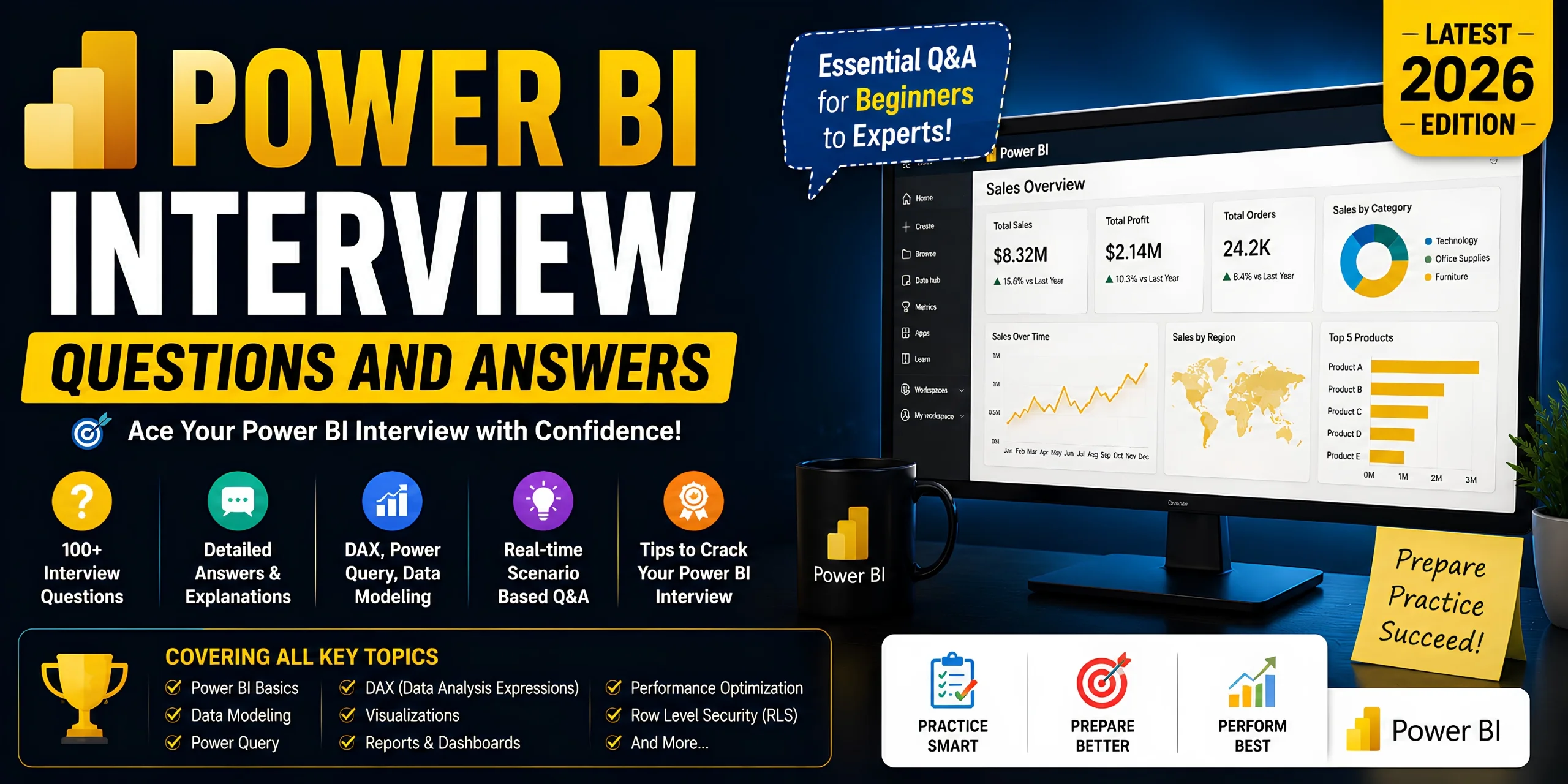
You’ve probably learned the basics of Power BI and practiced building reports or dashboards. But technical interviews often require more than just tool familiarity—you need to explain concepts clearly and solve real-world business problems. In this guide, you’ll discover the most important Power BI interview questions and answers to help you prepare confidently for your next interview.
Key Takeaways
- Power BI interview questions evaluate knowledge of dashboards, data modeling, DAX, and business intelligence concepts.
- Scenario-based interview questions test practical problem-solving and analytics decision-making skills.
- DAX functions and relationships are among the most frequently asked Power BI interview topics.
- Power BI professionals remain in high demand across analytics, reporting, and business intelligence roles.
- Mock interviews and dashboard projects improve technical confidence and communication skills.
- Performance optimization techniques are critical for advanced Power BI interview preparation.
- Consistent practice with real datasets helps candidates answer technical questions more effectively.
What Are Power BI Interview Questions?
Power BI interview questions are technical questions designed to evaluate a candidate’s knowledge of business intelligence, data modeling, and reporting concepts.
First, companies use these questions to assess whether candidates can build dashboards, transform data, create DAX calculations, and solve analytics problems using Microsoft Power BI. For example, a recruiter may ask you to explain the difference between a calculated column and a measure during a technical interview.
Moreover, Power BI interview topics usually cover:
- Data visualization
- Power Query
- DAX formulas
- Data modeling
- Dashboard design
- Row-level security
- Performance optimization
- Cloud reporting
According to Microsoft, Power BI is used by organizations worldwide for business intelligence and analytics workflows — Source: Microsoft, 2026.
In addition, Power BI skills continue growing in demand because companies increasingly rely on data-driven decision-making. Gartner reported that analytics and BI platforms remain among the top enterprise software priorities globally — Source: Gartner, 2025.
“Power BI beginner tutorial“

Why Are Power BI Interview Questions Important?
Power BI interview questions matter because organizations need professionals who can transform raw data into actionable business insights.
First, modern businesses rely heavily on dashboards and analytics for operational decisions. For example, retail companies use Power BI reports to track sales performance, inventory, and customer behavior in real time.
Moreover, Power BI professionals are highly valuable in industries such as:
- Finance
- Healthcare
- Marketing
- E-commerce
- Manufacturing
- Education
According to LinkedIn’s Jobs Report, data analytics and BI-related roles continue ranking among the fastest-growing technical careers — Source: LinkedIn, 2025.
At the same time, employers want candidates who understand both technical and business concepts. This means interviews often include practical reporting scenarios rather than only theoretical questions.
Power BI skills improve career opportunities for analysts, BI developers, and reporting professionals.
For example, candidates with DAX and dashboard optimization experience often qualify for senior analytics positions with higher salaries.
“business intelligence career roadmap“
What Are the Most Common Power BI Interview Questions for Beginners?
Basic Power BI interview questions focus on core concepts such as dashboards, reports, Power BI components, and data connectivity.
Let’s explore the most frequently asked beginner-level interview questions.
What Is Power BI?
Power BI is a business intelligence and data visualization platform developed by Microsoft.
First, Power BI helps organizations collect, transform, visualize, and share business data through interactive reports and dashboards. For example, a sales manager can use Power BI to monitor monthly revenue trends across regions.
Moreover, Power BI supports multiple data sources, including:
- Excel
- SQL Server
- Azure
- Google Analytics
- APIs
- Cloud platforms
Power BI simplifies business reporting through interactive dashboards and real-time analytics.

What Are the Main Components of Power BI?
The main components of Power BI include Power BI Desktop, Power BI Service, Power BI Mobile, Power BI Gateway, and Power BI Report Server.
Here is a quick comparison table:
| Component | Purpose |
| Power BI Desktop | Report creation and data modeling |
| Power BI Service | Cloud sharing and collaboration |
| Power BI Mobile | Mobile dashboard access |
| Power BI Gateway | Secure on-premises connectivity |
| Power BI Report Server | Local report hosting |
For example, analysts typically build reports in Power BI Desktop before publishing them to Power BI Service.
What Is the Difference Between Power BI Desktop and Power BI Service?
Power BI Desktop is a report development tool, while Power BI Service is a cloud-based platform for sharing and collaboration.
First, Power BI Desktop allows users to import data, create visualizations, and build reports locally. For example, analysts use Desktop to create DAX measures and relationships.
Second, Power BI Service enables online collaboration, dashboard sharing, scheduled refreshes, and workspace management.
| Feature | Power BI Desktop | Power BI Service |
| Environment | Local application | Cloud platform |
| Main Purpose | Report creation | Sharing & collaboration |
| Data Modeling | Yes | Limited |
| Dashboard Sharing | No | Yes |
| Scheduled Refresh | No | Yes |
Power BI Service improves collaboration through cloud-based dashboard sharing.
What Is a Dashboard in Power BI?
A dashboard in Power BI is a single-page visual interface that displays key business metrics and insights.
First, dashboards combine charts, KPIs, tables, and cards into one interactive view. For example, a CEO dashboard may display revenue, profit margin, and customer growth metrics simultaneously.
Moreover, dashboards help decision-makers monitor performance quickly without opening multiple reports.
“data visualization best practices“
How Do Relationships and Data Modeling Work in Power BI?
Data modeling in Power BI refers to organizing tables and relationships to support accurate reporting and analysis.
First, relationships connect tables using common fields such as customer IDs or product IDs. For example, a sales table may connect to a products table through a ProductID column.
Moreover, Power BI supports:
- One-to-many relationships
- Many-to-one relationships
- Many-to-many relationships
What Is a Star Schema?
A star schema is a data modeling structure that organizes fact tables and dimension tables for efficient reporting.
First, the fact table stores measurable business data such as revenue or quantity sold. Meanwhile, dimension tables contain descriptive information such as product names or customer locations.
For example:
- Fact Table: Sales
- Dimension Tables: Products, Customers, Dates
Star schemas improve report performance and simplify DAX calculations.

What Is Power Query in Power BI?
Power Query is a data transformation and preparation tool used in Power BI.
First, Power Query allows users to clean and transform raw datasets before analysis. For example, you can remove duplicates, split columns, or merge multiple files automatically.
Moreover, Power Query uses the M language for transformation logic.
Common transformations include:
- Filtering rows
- Replacing null values
- Changing data types
- Appending queries
- Merging datasets
“Power Query transformation guide“
How Does DAX Work in Power BI?
DAX is a formula language in Power BI used to create calculations, measures, and custom data analysis expressions.
First, DAX stands for Data Analysis Expressions. Analysts use DAX to calculate totals, percentages, rankings, and time intelligence metrics.
For example, this DAX formula calculates total sales:
TotalSales=SUM(Sales[Revenue])
According to Microsoft documentation, DAX powers advanced analytical calculations across Power BI semantic models — Source: Microsoft Learn, 2026.
“DAX functions explained“
What Is the Difference Between Measures and Calculated Columns?
Measures perform dynamic calculations during report interaction, while calculated columns store computed values inside tables.
First, measures calculate results based on filter context. For example, a sales total measure changes dynamically when users filter regions.
Second, calculated columns generate values row by row and increase model size.
| Feature | Measure | Calculated Column |
| Storage | Not stored physically | Stored in model |
| Performance | Faster | Slower for large models |
| Context | Filter context | Row context |
| Use Case | Aggregations | Row-level calculations |
Measures improve model efficiency in most reporting scenarios.
What Are Commonly Asked DAX Functions?
Common DAX interview functions include CALCULATE, SUMX, FILTER, RELATED, and ALL.
Here are some examples:
| Function | Purpose |
| SUM | Adds values |
| CALCULATE | Changes filter context |
| FILTER | Filters tables |
| RELATED | Retrieves related values |
| COUNTROWS | Counts table rows |
For example, CALCULATE is frequently asked because it modifies filter context dynamically.
CALCULATE(SUM(Sales[Revenue]),Sales[Region]=”East”)
What Are Advanced Power BI Interview Questions for Experienced Professionals?
Advanced Power BI interview questions evaluate optimization, security, scalability, and enterprise analytics knowledge.
First, experienced candidates are often expected to explain real-world implementation strategies rather than basic definitions.
What Is Row-Level Security in Power BI?
Row-level security restricts data visibility for specific users based on defined filters.
For example, a regional manager should only see sales data for their assigned territory.
Moreover, row-level security improves data governance and compliance across organizations.
How Can You Optimize Power BI Report Performance?
Power BI report optimization improves dashboard speed, query efficiency, and user experience.
First, analysts should reduce unnecessary columns and avoid high-cardinality fields. For example, removing unused text columns can significantly reduce model size.
Second, optimization techniques include:
- Using star schemas
- Creating aggregated tables
- Reducing visuals per page
- Avoiding complex calculated columns
- Using import mode efficiently
According to Microsoft best practices, optimized semantic models improve report responsiveness significantly — Source: Microsoft Learn, 2026.
“how to improve report performance in Power BI“
What Is Incremental Refresh?
Incremental refresh updates only new or changed data instead of reloading the entire dataset.
For example, a report containing five years of sales data may refresh only the latest seven days of records.
This approach improves:
- Refresh speed
- Resource efficiency
- Enterprise scalability
What Are the Top Scenario-Based Power BI Interview Questions and Answers?
Scenario-based Power BI interview questions assess a candidate’s ability to solve real-world business intelligence challenges.
First, interviewers use these questions to evaluate practical thinking and troubleshooting skills.
Scenario: How Would You Handle Large Datasets?
Large datasets should be optimized using efficient modeling, aggregations, and incremental refresh strategies.
For example, importing millions of rows directly without optimization can slow dashboards significantly.
Recommended solutions include:
- Aggregation tables
- DirectQuery when appropriate
- Incremental refresh
- Removing unnecessary columns
- Optimized relationships
Scenario: How Would You Fix a Slow Dashboard?
Slow dashboards should be analyzed for inefficient visuals, complex calculations, and poor data modeling practices.
First, analysts should use Power BI Performance Analyzer to identify slow visuals.
Second, optimization may involve:
- Simplifying DAX measures
- Reducing visuals
- Optimizing relationships
- Limiting slicers

Scenario: How Would You Build a Real-Time Dashboard?
Real-time dashboards combine streaming datasets and cloud services for live analytics updates.
For example, logistics companies monitor delivery tracking in real time using streaming dashboards.
Common tools include:
- Azure Stream Analytics
- APIs
- Power BI streaming datasets
What Are the Best Tools and Practical Applications for Power BI Interview Preparation?
Power BI interview preparation becomes more effective when candidates practice using real dashboards, datasets, and analytics projects.
First, building practical projects improves technical confidence. For example, creating a sales dashboard demonstrates visualization, DAX, and data modeling skills simultaneously.
Useful preparation tools include:
| Tool | Purpose |
| Power BI Desktop | Dashboard creation |
| SQL Server | Data querying |
| Excel | Data preparation |
| Kaggle Datasets | Practice projects |
| Microsoft Learn | Official training |
“advanced dashboard design techniques“

How Can You Prepare Effectively for a Power BI Interview?
Effective Power BI interview preparation involves practicing DAX, data modeling, dashboard creation, and performance optimization concepts.
First, candidates should practice beginner and advanced interview questions consistently. For example, mock interviews help improve communication and technical confidence simultaneously.
Second, you should build multiple portfolio projects showcasing:
- Dashboard creation
- KPI reporting
- Data cleaning
- SQL integration
- Advanced DAX calculations
Third, candidates should strengthen related analytics skills such as SQL and Excel.
“SQL interview questions for analysts“
“data analyst interview preparation tips“
“top analytics projects for beginners“
According to Microsoft Learn adoption trends, hands-on project experience significantly improves Power BI proficiency — Source: Microsoft Learn, 2025.
What’s Next After Learning Power BI Interview Questions?
The next step after learning Power BI interview questions is applying your knowledge through projects, certifications, and real analytics scenarios.
First, build portfolio dashboards using public datasets. For example, finance or e-commerce reporting projects demonstrate practical analytics capabilities.
Second, practice advanced DAX and SQL integration workflows.
Third, improve your storytelling and presentation skills because business intelligence roles require clear communication.
Additionally, consider preparing for certifications such as:
Microsoft PL-300
Azure Data Fundamentals
SQL certifications
Hands-on projects strengthen both technical expertise and interview confidence.
Conclusion
Power BI interview questions help organizations identify professionals who can transform business data into actionable insights. From beginner concepts like dashboards and reports to advanced topics such as DAX optimization and row-level security, interview preparation requires both technical understanding and practical experience.
Moreover, consistent practice with mock interviews, portfolio projects, and real datasets can significantly improve your interview performance. By mastering Power BI concepts, you can prepare confidently for data analyst, BI developer, and business intelligence roles in today’s growing analytics industry.
Written by: Prabeetle Editorial Team — Business intelligence and analytics content specialists focused on data visualization, reporting, and BI career education.
Reviewed by: Senior Analytics Reviewer — Expert in Power BI, DAX optimization, and enterprise reporting systems.