
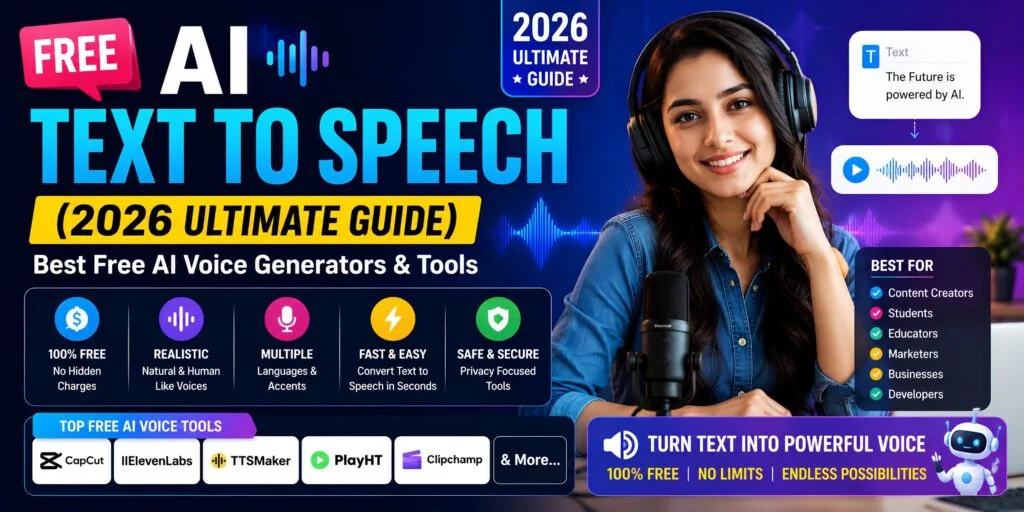
You’ve probably seen videos, reels, or apps using realistic AI voices—and wondered how they’re made for free. What most people don’t realize is that not all free text-to-speech tools offer the same quality or flexibility. In this guide, you’ll discover the best free AI text-to-speech tools, how they work, and how to choose the right one for your needs.
Key Takeaways
- AI text-to-speech technology converts written text into natural-sounding audio using machine learning models.
- Free AI TTS tools provide cost-effective voiceover solutions but often include usage limits or restrictions.
- Browser-based and API-based tools offer different levels of flexibility for beginners and developers.
- High-quality AI voices rely on neural networks that replicate tone, pitch, and human emotion.
- Common use cases include YouTube videos, audiobooks, e-learning, and accessibility tools.
- Choosing the right tool depends on voice quality, language support, and commercial usage rights.
What Is AI Text-to-Speech and How Does It Work?
AI text-to-speech is a technology that converts written text into natural-sounding spoken audio using machine learning models.
First, modern AI TTS systems use deep learning and natural language processing (NLP) to understand text context and generate human-like speech. For example, tools like ElevenLabs can adjust tone and emotion depending on punctuation or sentence meaning.
Second, unlike traditional robotic voices, AI voice generators mimic real human speech patterns such as pauses, pitch, and emphasis. For example, a question will naturally sound inquisitive, not flat.
Third, the demand is exploding. The AI voice market is projected to reach $7.6 billion by 2027 — Source: MarketsandMarkets, 2024 .
“how AI works in simple terms” → AI basics article
Quotable insight: AI voice generators simulate human speech using neural networks trained on massive voice datasets.
Why Free AI Text-to-Speech Matters
Free AI text-to-speech tools matter because they allow users to create professional voiceovers without cost.
First, they significantly reduce production costs. For example, hiring a voice actor can cost ₹2,000–₹10,000 per project, while free AI tools cost nothing.
Second, they improve speed and scalability. Research shows AI voice tools can reduce production time by 35–50 minutes per video — Source: Flonnect, 2026 .
Third, they increase accessibility. For example, visually impaired users rely on TTS tools to consume digital content.
Fourth, adoption is massive. 97% of businesses now use voice technology in some form — Source: AutoFaceless, 2026 .
“best AI tools for content creation” → AI tools roundup
Quotable insight: Free TTS tools democratize content creation by removing the need for expensive voice talent.
How Can I Convert Text to Speech for Free Online?
You can convert text to speech for free online by using AI-powered tools that process text and generate downloadable audio.
Step 1: Input Your Text
First, paste your script into the tool. For example, you can input a YouTube script or blog content.
Step 2: AI Processing (NLP + Voice Synthesis)
Second, the tool analyzes the text using NLP and converts it into speech patterns.
Step 3: Generate and Download Audio
Third, the tool produces an audio file (MP3/WAV) that you can download and use.
“voice over tips for beginners” → voiceover guide
Quotable insight: Text-to-speech generation involves inputting text, processing it through natural language models, and producing synthesized speech output.
What Are the Types of AI Text-to-Speech Tools?
AI text-to-speech tools are categorized into browser-based tools, APIs, downloadable software, and voice cloning platforms.
Browser-Based Tools (Best for Beginners)
First, these tools run directly in your browser and require no installation. For example, NaturalReader offers quick conversions.
API-Based Tools (Best for Developers)
Second, APIs like Amazon Polly allow developers to integrate TTS into apps.
Downloadable Software (Offline Use)
Third, tools like Balabolka provide offline functionality with customization.
Voice Cloning Tools (Advanced Use)
Fourth, tools like ElevenLabs allow you to clone voices with minimal audio input.
“keyword research strategy guide” → SEO guide
Quotable insight: Browser-based TTS tools prioritize ease of use, while APIs prioritize scalability.
What Are the Best Free AI Text-to-Speech Tools in 2026?
The best free AI text-to-speech tools in 2026 combine natural voice quality, usability, and flexible free plans.
Below is a curated list:
| Tool | Best For | Free Plan | Key Feature |
|---|---|---|---|
| ElevenLabs | Realistic voices | Yes | Voice cloning |
| Murf AI | Business use | Yes | Studio editor |
| Speechify | Reading | Yes | Speed control |
| Google TTS | Developers | Yes | API integration |
| Amazon Polly | Apps | Yes | Scalable voice API |
| Play.ht | Content creators | Yes | Voice library |
| Lovo AI | Marketing | Yes | Emotional voices |
Example: ElevenLabs supports 29 languages and ultra-realistic voices — Source: Revoyant, 2026 .
“best free AI tools list” → AI tools hub
Which Free AI Voice Generator Sounds Most Realistic?
The most realistic AI voice generators use neural networks to mimic human tone, pitch, and emotion.
First, ElevenLabs is widely considered the most natural-sounding tool. For example, it can express emotions like excitement or sadness.
Second, Murf AI and Play.ht also provide high-quality voices suitable for professional content.
Third, AI voice realism has improved dramatically. Today’s systems are nearly indistinguishable from human speech — Source: Pleasur.ai, 2026 .
Quotable insight: High-quality AI voice generators use neural networks to mimic human tone, pitch, and emotion.
What Are the Limitations of Free AI Text-to-Speech Tools?
Free AI text-to-speech tools often include restrictions such as usage limits, watermarks, and limited features.
First, most tools are freemium. In fact, 85% of free tools are limited trials — Source: Flonnect, 2026 .
Second, character limits restrict usage. For example, some tools allow only 10,000 characters per month.
Third, commercial rights may be restricted. This can impact YouTube monetization.
Fourth, voice selection is limited compared to paid plans.
Can I Use Free AI Voices for YouTube Monetization?
You can use free AI voices for YouTube monetization if the tool allows commercial usage.
First, always check licensing terms. Some tools prohibit monetized use on free plans.
Second, choose tools with commercial rights. For example, some platforms explicitly allow YouTube use.
Third, ensure originality. YouTube prioritizes unique content, even with AI voices.
“monetizing YouTube videos” → monetization guide
How Do I Choose the Right Text-to-Speech Tool for My Needs?
Choosing the right TTS tool depends on voice quality, language support, usage limits, and licensing.
Key Factors to Consider
- Voice Quality: Natural vs robotic
- Languages: Multi-language support (some offer 75+ languages)
- Usage Limits: Monthly character caps
- Commercial Rights: Important for creators
- Download Options: MP3/WAV availability
“content creation workflow checklist” → productivity guide
What Is the Difference Between AI Voice Generators and Traditional TTS?
AI voice generators differ from traditional TTS by using neural networks instead of rule-based synthesis.
First, traditional TTS sounds robotic and monotone. For example, early systems lacked emotional variation.
Second, AI TTS produces natural speech with human-like delivery.
Quotable insight: AI voice generators outperform traditional TTS by adding emotional intelligence to speech output.
Do Free AI Text-to-Speech Tools Support Multiple Languages?
Most modern AI text-to-speech tools support multiple languages and accents.
First, leading platforms offer thousands of voices. For example, some tools provide 5,000+ voices across 75+ languages — Source: AutoFaceless, 2026 .
Second, multilingual support enables global content creation.
Use Cases and Practical Applications of AI Text-to-Speech
AI text-to-speech is widely used for content creation, accessibility, and automation.
YouTube Voiceovers
First, creators use AI voices to produce videos without recording.
“YouTube SEO optimization tips” → YouTube SEO guide
“how to start a YouTube channel” → beginner guide
Audiobooks
Second, authors convert books into audio format.
E-Learning
Third, educators create narrated lessons.
Podcasts
Fourth, AI voices automate podcast production.
Accessibility
Fifth, TTS helps visually impaired users access content.
“AI video editing tools” → editing tools
What’s Next: How to Start Using AI Text-to-Speech Today
Starting with AI text-to-speech involves choosing a tool, creating content, and optimizing output quality.
Beginner Action Plan
- Choose a free tool (start with browser-based)
- Write or paste your script
- Generate voice output
- Edit tone and speed
- Download and use in your project
Pro Tip: Start with short scripts before scaling to longer content.
Conclusion
Free AI text-to-speech tools provide a powerful, cost-effective way to create realistic voiceovers for any project.
First, they eliminate the need for expensive voice actors. Second, they scale content production quickly. Third, they enable anyone to create professional audio.
Ultimately, the best approach is to experiment with multiple tools, test voice quality, and upgrade only when needed.